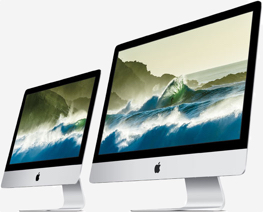
 We can take care of your hardware . . .
We specialize in restoring your misbehaving Apple product to good health and offer expedited services that can get your computer on a technician’s bench within as little as two hours.
And because our techs are Apple Certified, the job will be done right. Speaking of which, we happen to offer some of the best value for Apple Certified service in the entire Willamette Valley with repairs starting at $50.
 And your software
Macs don’t need to have their hard drives defragged, nor do you have to restart them multiple times a day to free up memory. However, that doesn’t mean they don’t have their own software issues. Over time your Mac may feel slower, you may start to see applications freezing or refusing to open. If that’s the case, it may be time for a software tune-up.
For $50, we’ll run a cocktail of software designed to repair underlying software issues. It only takes 24 hours, but can save you a lot of frustration and prevent more serious issues from developing.
While we have it, we’ll also check your battery, make sure you have enough room on your hard drive, and physically clean your Mac.
 On-location & remote support without travel fees
NOTE THAT ON-LOCATION SERVICES ARE TEMPORARILY DISCONTINUED DUE TO COVID-19.
Sometimes it isn’t convenient to bring your ailing system to the shop. We understand. That’s why we are happy to come to your home or place of business to get your machine up and running.
As a bonus, on-location and remote appointments can be set up for times outside of our normal business hours. Check your calendar, get in touch (contact links are at the top and bottom of this page), and we’ll make every effort to schedule a time that works best for you.
 Upgrades: the rainbow eliminator
Seeing a lot of spinning rainbows? It might be worth exploring three simple, but very effective upgrade options:
The first place to look is at your hard drive. Generally, having 20% unused allows your Mac plenty of room to temporarily store files it creates while working. Drop too far under that amount and your computer will become painfully slow.
The second possible upgrade is RAM. Usually the most cost effective and quickest upgrade, more RAM allows you to have a larger number of applications open and the ability to work with larger file sizes without slowing down.
A relative newcomer to the upgrade scene is the SSD (solid state drive). In most cases, it replaces the regular hard drive. What makes SSDs special is how fast they transfer data to the rest of the system. Good ones can cut startup times by 2/3 or more and open applications almost instantaneously. The downside is that right now they are expensive when compared to a regular hard drive, especially in larger sizes. If you are curious whether a SSD would be a good fit for you, let us know and we’ll discuss the pros and cons.
 Warranty repairs for U of O students
mac tonic is Eugene’s authorized service provider for Safeware, the affordable hardware warranty option available through the Digital Duck at the University of Oregon Bookstore. That means no-hassle service with people you already know and trust, conveniently located seven blocks west of the University of Oregon campus.
If you have a third party warranty through another company, let us know. More than likely, we can make arrangements with your vendor to provide service.
